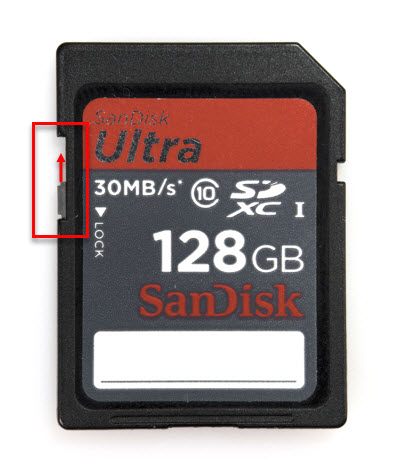
When the error message on the camera display is "Memory card is write protected". Remove the memory card from the camera and check the very small write-protect switch on the left side of the memory card as it is facing you. If the switch is in the down position then it is in the 'lock' position and the camera cannot save data to the card.
This problem can accidentally happen if the write-protect switch is moved (and thus locked) as the memory card is being inserted into the camera.
To solve the problem, move the write-protect switch to the up or "write" position then re-insert the card to the camera. The error message should no longer appear on the camera display.